Eclipse Run 2 Arcade Runner
Reviews
Eclipse Run 2 refines the arcade runner formula with polished momentum physics and responsive controls. The blend of parkour and target challenges creates engaging motion puzzles. Global leaderboards add replay value. It is a clean, family-friendly game that rewards practice and precision. Highly recommended for platformer enthusiasts.
Description
Game Introduction
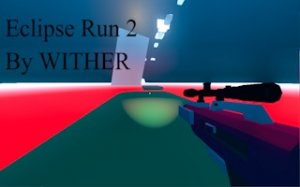
Eclipse Run 2 is an action-platformer that combines high-speed parkour with precise target challenges. Developed by independent studio Wither, this sequel improves on the original with refined momentum physics and responsive controls. Players navigate courses by running, jumping, and sliding while hitting targets along the way. The game rewards agility and accuracy, as every move affects your time. Each level acts as a motion puzzle, requiring repeated attempts to find the fastest route. With a new username system, you can compete on global leaderboards and track your progress. The polished mechanics make it a fresh challenge for fans of platformers and speedrunning.
How to Play
To play Eclipse Run 2, use keyboard keys to move your runner. The mouse controls aiming and target interaction. The goal is to chain parkour actions like running, jumping, and sliding without losing speed. At the same time, aim and interact with in-game targets to clear obstacles. Success depends on quick reflexes and precise timing. You must balance movement and target actions to maintain pace. Each course requires practice to discover the most efficient route. Focus on smooth transitions between actions to shave seconds off your time. The game encourages repeated attempts to improve your score and climb the leaderboards.
Game Features
Game features include high-speed parkour mechanics. Integrated target challenges add a layer of skill. Polished controls ensure fluid movement. Global leaderboards let you compare times with others. A new introductory scene sets the stage. Username settings personalize your experience. The revamped movement system offers fine-tuned momentum physics for responsive gameplay.
Tips for Success
Practice each course multiple times to learn the best routes. Focus on maintaining momentum by chaining moves smoothly. Balance speed with accuracy when interacting with targets. Watch replays of top players to discover efficient strategies. Consistent practice will help you improve your times and climb the leaderboards.





Comments
0 comments